DAREU A710 Wireless Headset User Guide
11/08/2023
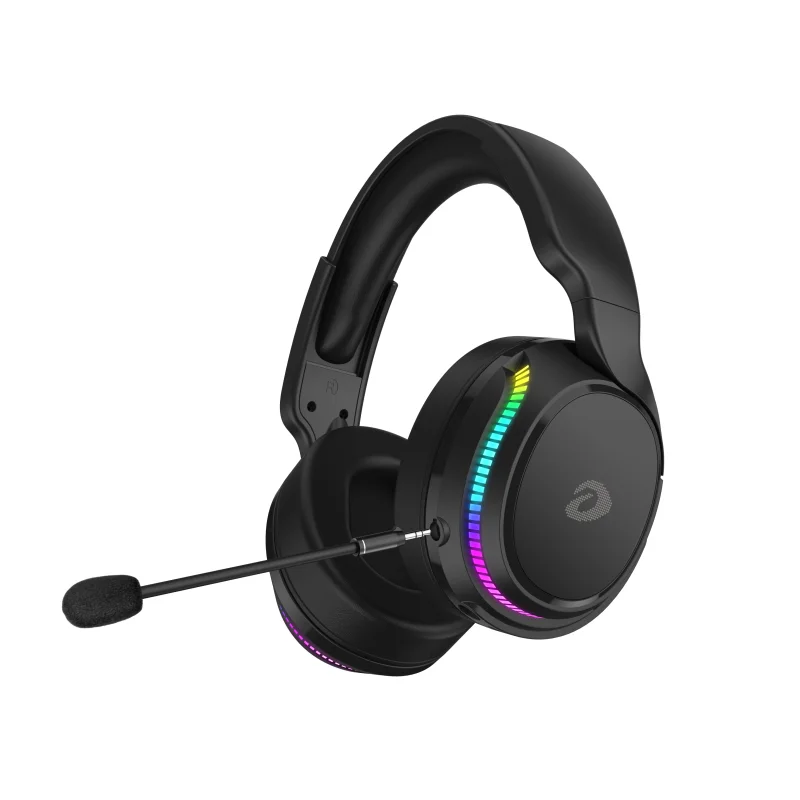
Included Accessories

2. Technical Specifications

Product Specifications
Physical SpecificationsBattery Capacity: 1400mAhWeight: 345gBacklight: RGBDetachable Microphone: YesDimensions: 202*216*90mm 3.5mm Cable Length: 1m (male to male)Type-C Cable Length: 1.2m (male to male) | Electronic SpecificationsPlay Mode: 5.8G/Type-C/3.5mmWireless Standard: 5.8GFrequency Range: 5725-5850MHzRF Range: 10M (unobstructed)Charging Voltage: DC 5V 500mACharging Time: approximately 4hOperating Time: approximately 10h (with backlight on)/approximately 12h (with backlight off)Standby Time: 3 months
Speaker SpecificationsDriver Unit: Φ50mm * 10mm (C)Sensitivity: 104dB ± 3dBImpedance: 24 ± 15% OHMFSound Frequency Response: 20 ~ 20KHzTotal Harmonic Distortion: ≦ 5%Power Rating: 10mW-15mW (max)Buzzing & Rating: sine wave 0.49VLoad Test: normal 10mW 24 hours | Microphone SpecificationsDriver Unit: φ6mm * 2.7mm (C)Sensitivity: -42 ± 3 dBDirectionality: omnidirectionalImpedance: 2.2KOMFrequency Response: 100~10KHzTotal Harmonic Distortion: ≦ 5%Operating Voltage: DC 1.0V ~ 10VCurrent Consumption: max 0.5mA
3. Button Functions

- Lighting Button
- Power Button
- Microphone Button
- Volume Button
- LED Indicator
- Type-C Port
- Audio Jack
- Microphone Jack
4. Connectivity
5.8G Pairing
- Insert the 5.8G transmitter into the device, the headset and the launcher will automatically pair.
- Press and hold the power button and microphone button for 3 seconds to start pairing, the LED indicator on the headset will flash rapidly in blue. After successful pairing, the LED indicator will remain lit.
Audio Cable
Use a 3.5mm audio cable to connect the headset directly to the playback device without turning on the power.
Button Function Details
- Power Button: Press and hold for 3 seconds, turn on with a beep; press and hold for 3 seconds, turn off with a beep.
- Lighting Button: RGB flow lighting effect and single-color breathing lighting effect (red, green, blue, purple).
- Microphone Button: Press once, turn on with two beeps, turn off with one beep.
- Volume Button: Scroll the button to increase or decrease volume.
- Low Battery: When the battery is low, the device will emit three beeps every minute.
- LED Indicator:
① Power On - Flashing Blue
② Red Flashing - Low Power
③ Charging - Flashing Red
④ Fully Charged - LED Off
⑤ Rapid Blue Flashing - 5.8G Pairing - Select the play mode you want to use.
① Type-C to Type-C
② Type-C to USB
③ Sound Output Mode
④ 5.8G Wireless Mode
How to replace the ear pads
- Sew the seam at the bottom.
- Tie the string safely into the gap.
- Insert it into the gap.
- Gently turn it.